
Adobe InDesign
Adobe InDesign is a desktop publishing software developed by Adobe Inc. It is part of the Adobe Creative Cloud suite and is widely used for creating and designing layouts for print and digital media. InDesign is a popular tool among graphic designers, publishers, marketers, and other professionals involved in producing magazines, books, brochures, flyers, posters, newspapers, interactive PDFs, and digital publications.
Key features and uses of Adobe InDesign:
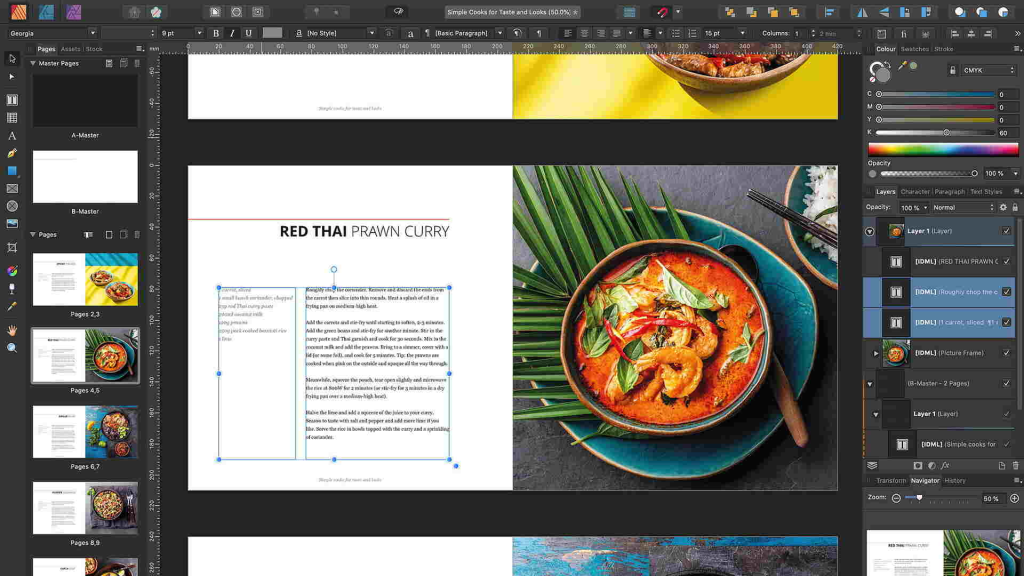
Page Layout Design: InDesign excels at creating complex and professional page layouts. Users can arrange text, images, graphics, and other design elements on the page, controlling their placement with precision.
Typography: InDesign offers extensive typographic capabilities, allowing users to work with various fonts, styles, kerning, tracking, and other text formatting options to create visually appealing and readable text.
Master Pages: Master pages enable users to create consistent layouts for multiple pages. Changes made to a master page are automatically applied to all pages linked to it, ensuring design consistency throughout the document.
Style Sheets: InDesign utilizes paragraph and character styles, making it efficient to apply consistent formatting across the document. This is particularly useful for long documents with many headings, subheadings, and body text.
Interactive Publications: InDesign supports creating interactive PDFs and digital publications with multimedia elements, hyperlinks, and interactive buttons for a more engaging reading experience.
Packaging and Preflighting: InDesign provides tools to package all the necessary files for printing, ensuring that fonts and linked images are included. The preflight feature checks for potential printing issues and errors before sending the document for production.
Book Layout: InDesign is commonly used for book design, including novels, textbooks, and coffee table books. It allows users to manage large documents efficiently with features like table of contents, indexing, and cross-references.
Export Options: InDesign supports various file formats for output, including PDF, EPUB, HTML, and more, making it versatile for both print and digital publishing needs.
Examples of InDesign use:
Magazine Design: Designing layouts for magazines with articles, images, and advertisements.
Brochure Creation: Creating professional brochures for marketing and promotional purposes.
Book Publishing: Designing book layouts and preparing files for print or digital distribution.
Catalog Design: Designing product catalogs showcasing items for sale.
Newsletter Layout: Designing newsletters for businesses, organizations, or educational institutions.
Poster Design: Creating posters for events, announcements, or advertisements.
Interactive PDFs: Designing interactive forms, reports, and documents.
Digital Publications: Creating e-books, online magazines, and digital portfolios.
Adobe InDesign’s robust set of tools and features makes it an indispensable tool for designers and publishers to bring their creative ideas to life in both print and digital formats.